What are requests?
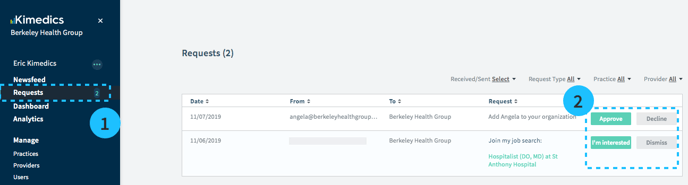
Requests are simple approve/decline items that you need to respond to in Kimedics. You can see your request count on the left sidebar next to the word Requests.
How are requests created in Kimedics?
You cannot create requests directly in the requests section. Instead, requests are created when you ask for approval anywhere in Kimedics.
You send a request to someone when you:
- ask to join an organization
- add a partner organization
- add a claimed provider
- share a job post
- share open shifts
Responding to requests in Kimedics
- Click Requests on the sidebar
- Respond to requests using the buttons on the right side of each row
How to cancel requests you sent
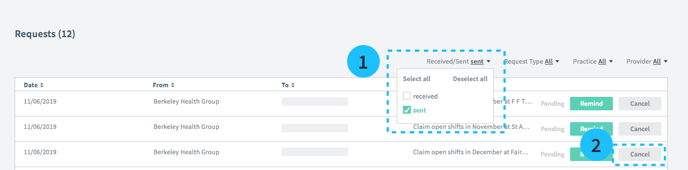
- To see all requests sent by you, select the filter for Received/Sent and select Sent
- Press Cancel