
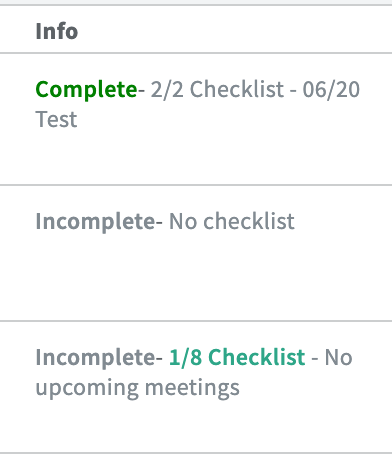
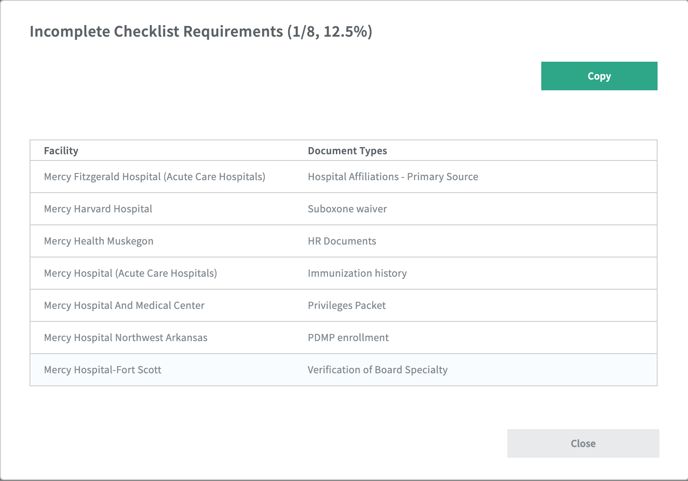
Once a provider is in a privileging status, the 'info' column of the roster table will show if a checklist has been completed or not. If items still remain, the checklist will be a clickable link that displays the remaining documents that need to be submitted still.
You can also keep track of privileges from this section in the Credential workspace. This section makes it easy for your organization to see where all of your providers have privileges in ONE place within Kimedics.
.png?width=688&height=274&name=Screenshot%20(367).png)
View information like:
- First shift date (when the first shift they are scheduled for is)
- Meeting dates list (any dates listed in the privileging tab of the roster)
- Checklist (how many items in the privileging template are completed)
- Privileging status
- Granted Date
and much more!
Export this information to a CSV file to use as needed within your team!
With one click of the export button, you can easily have this information downloaded to your device so you can view/sort as needed.