
Procedure
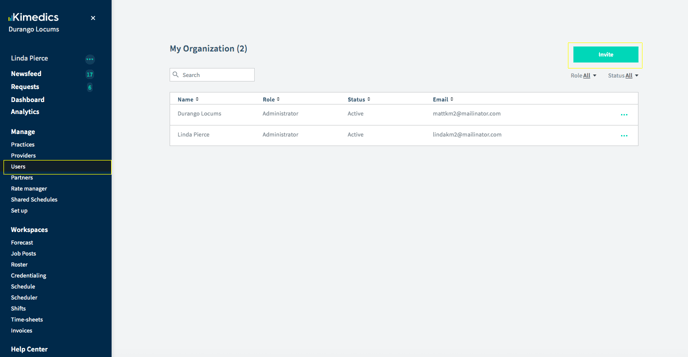
- Click "Users" on the left navigation.
- Click "Invite" button on the top right corner
- Type your team member's name, email and role. Press "Confirm" to invite them.
- They will receive an email with instructions to sign up for Kimedics. You can check back on this page to see whether they move from status "Invited" to "Active", which means they have signed up.
Re-send an invite
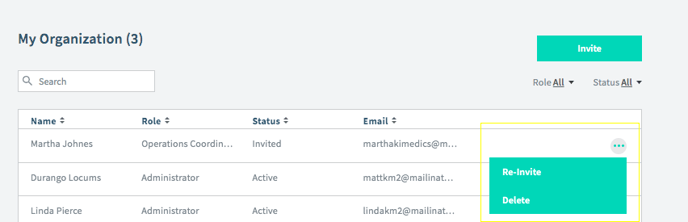
If you need to re-send the invitation to Kimedics, click the "..." on the far right of the row and tap Re-Invite.