
In the "Pay statements" section on your left navigation you will be able to keep track of upcoming and past pay periods for your organization.
In the "Pay Period Summary" users will see a summary about the period including if all inputs are approved, how many statements have been generated, and dates of last updates. We also show the general status of the period. The statuses include:
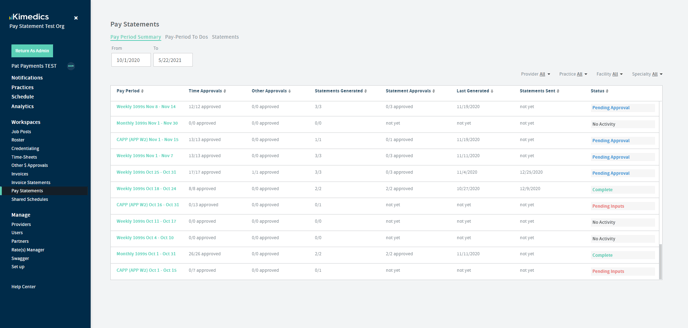
- No Activity: meaning there are no pay inputs for these pay period dates
- Pending Inputs: means there are time sheets or other pay related inputs that need to be submitted and approved prior to pay statement generation.
- Ready to Generate: means all time sheets or other pay related inputs have been submitted and approved and statements are ready to generate.
- Pending Approval: means pay statements have been generated and are pending final approval
- Complete: means all pay statements in the period are approved.
From here you can click on a period to check on status or take action for that period.
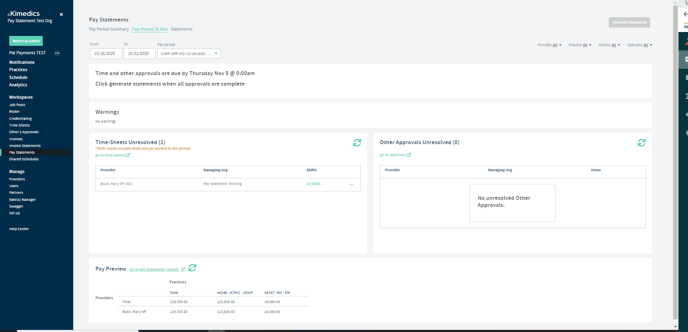
"Pay Period To dos" Tab shows you the status of your statements in a particular period. The goal of this page is to get the statements in the period generated and show you where you have inputs pending submission or approval, or statements that are ready to generate.
To generate
1. Users first need to approve all time and other pay related items before statements can be generated.
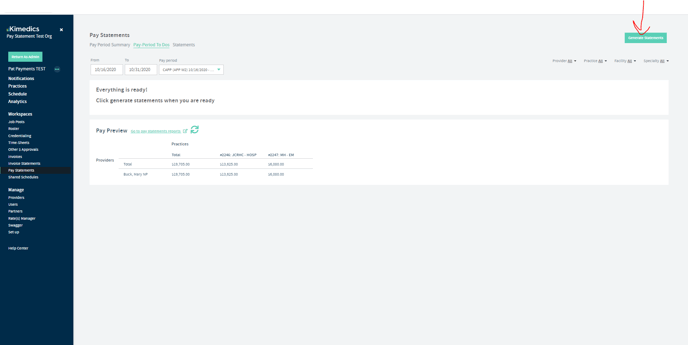
2. Users need to then generate statements once everything is approved.
3. As soon as statements are generated they will appear in the "Statements" tab and are ready to be approved.
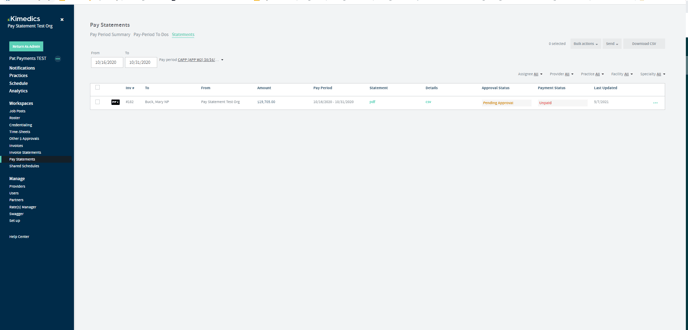
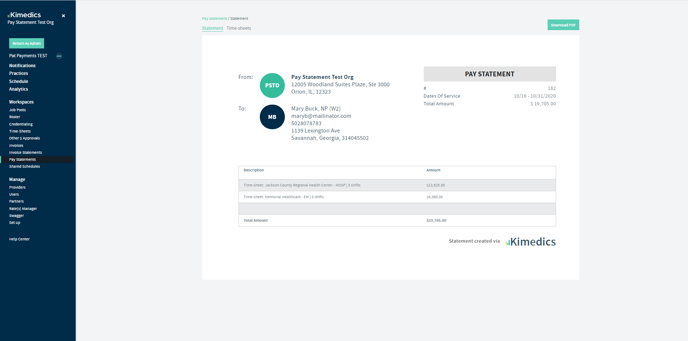
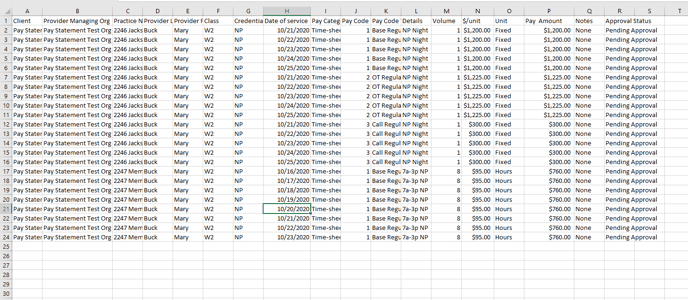
4. from here you can view the pdf statement or CSV statement by user or use the "bulk actions" to select multiple statements to download
PDF:
CSV:
5. Talk to our sales teams at kimedics@kimedics.com about the "Send" options for integrating with your accounting software or sending to provider emails.