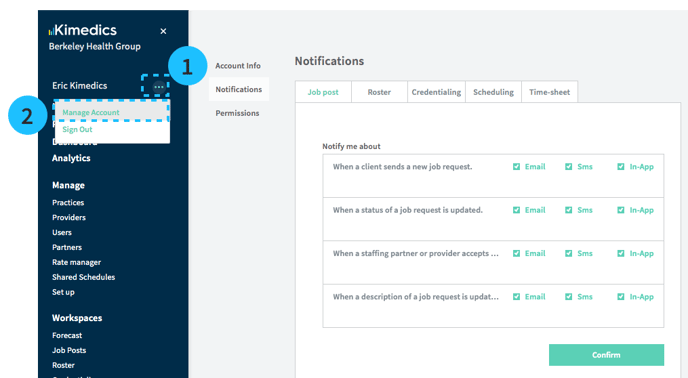
1. On the left sidebar, click the "..." symbol next to your name
2. Select Manage Account.
3. Use this form to turn on
- Email notifications - emails will be sent to your account email
- SMS notifications - text messages will be sent to your account phone number
- In-App notifications will appear on your Newsfeed