
How to enable notifications
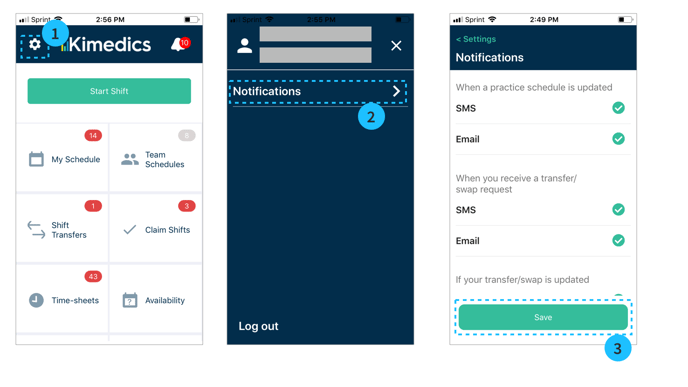
- Tap the Gear icon on the top bar of the home screen
- Tap Notifications
- Tap to select the notifications you want to receive. You will see a checkmark next to selected notifications. Save to update preferences.
Update phone number or email
Follow these steps to update the phone number or email that will receive notifications
- From the home screen, select Profile
- Select Contact Info section
- Update fields and Save