You can navigate to edit specific line items in a time sheet from the provider summary.
How to navigate to the provider summary
1. Time and Invoices or Time and Pay Workspace>Time sheet tab>use search to find your provider and click on their name
2. Pay Period summary>click on the "Details" button
2. Status summary>click on the "Details" button
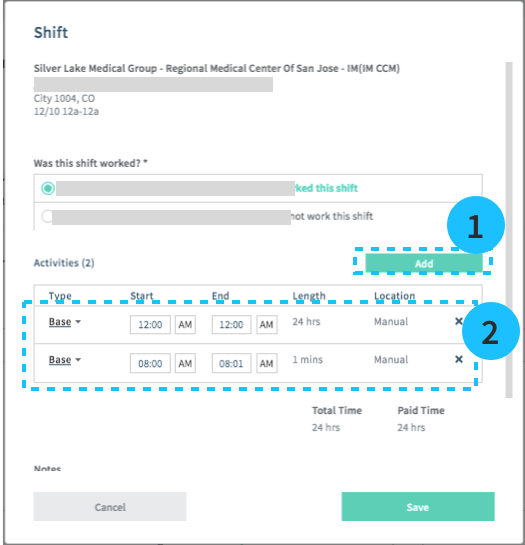
Click on the "Edit" for the shift and add:
1. add overtime, call, or call-in activities if applicable.
2. edit the start and end time, or activity type