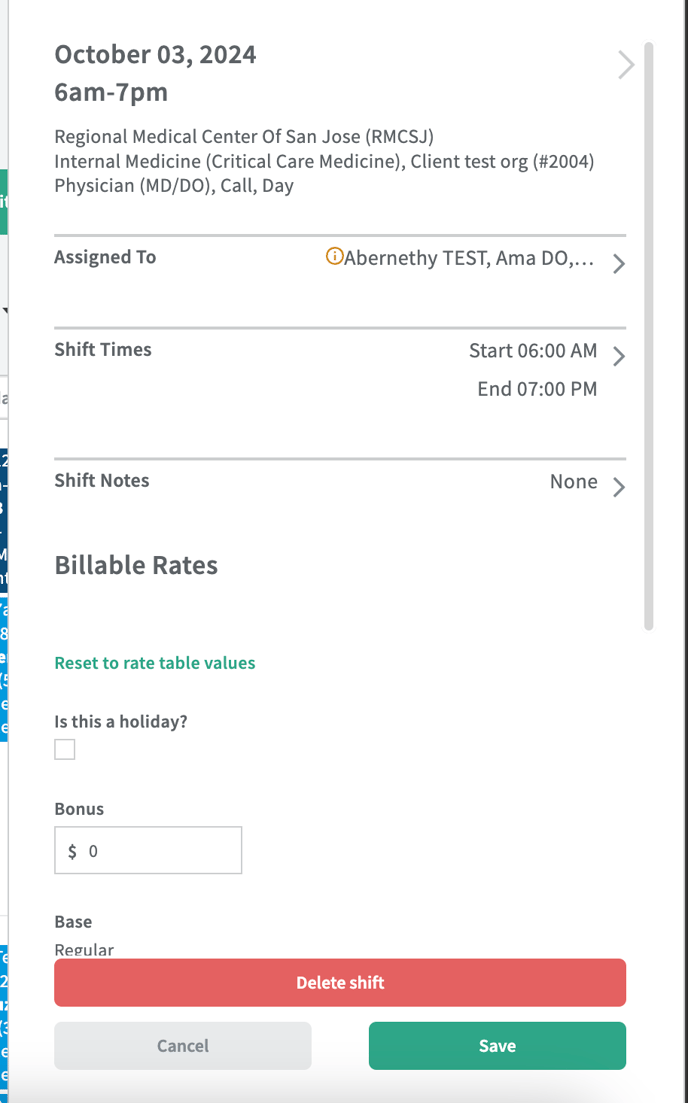
Users can edit rates in the Schedule. This is the same rates section that can be found in Time and Pay/Time and Invoice. The correct sections will be shown based on the user.
Click on a shift in the calendar view - the shift drawer will appear from the right side of the screen. The rates section will be found below all of the Schedule information. This can only be done for one shift at a time.
This is a helpful added feature so that users can mark a shift as a holiday from the Schedule rather than having to navigate to Time and Pay/Time and Invoice to make the change.
*Note: if anything changes for rates at the rate table level, those changes won't apply to already existing shifts. Users will need to 'reset to rate table values' from here in order for the updates to trickle down.