
To Dispute an approval that is in the Pending Approval status, you must do so from the 'Details' view.
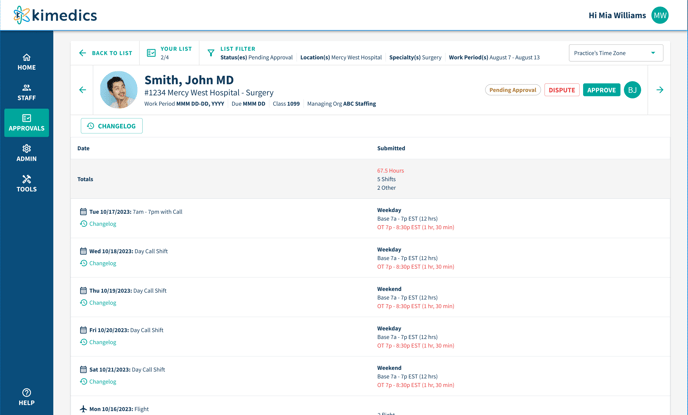
When a user clicks 'Dispute', it will then place the approval in 'Dispute mode'.
Select the line items within the approval that you would like to dispute (ex: staff didn't work a shift, hours are incorrect, etc). 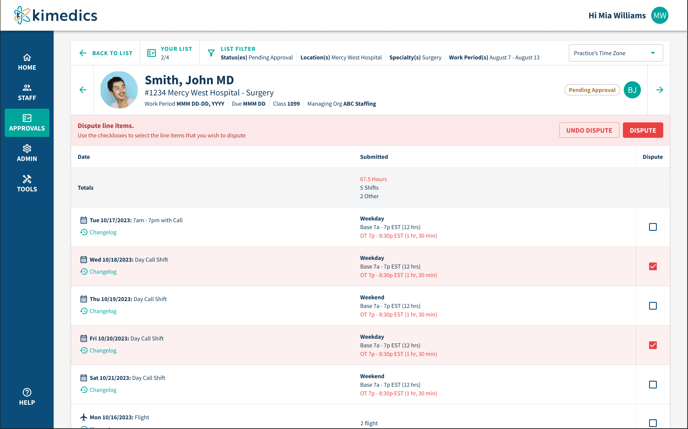
Clicking 'Dispute' once more will pull up a modal that requires you to give a reason for disputing the approval (this button will only enable if you have items selected). 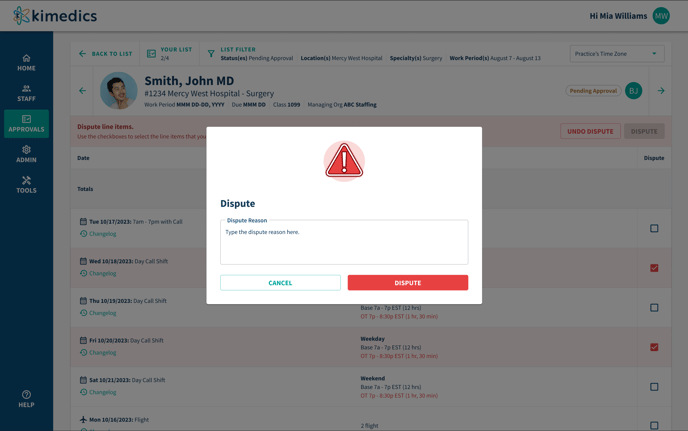 Once clicking the final 'Dispute' in the modal, the approval will be moved to a 'Disputed' status where it will need to be reviewed and re-submitted by the other organization.
When an approval is in the 'Disputed' state, a red banner will live at the top with the dispute reason along with each item selected for the dispute will have a 'disputed' icon next to it. 
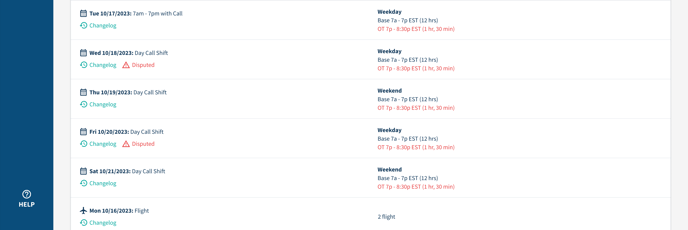 Once resubmitted, it will no longer be in 'Dispute mode'. The Dispute note that was left can always be found in the changelog for history sake if needed.
Same steps when using a mobile device to dispute an approval: 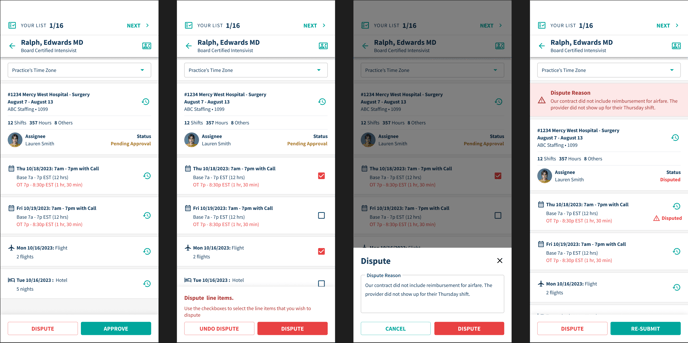
Click dispute from approval details > select items to dispute > give dispute reason > approval goes into 'dispute mode' and awaits for other organization to resubmit.