Submit or approve time sheets in bulk using our bulk action update!
You can make this action from a period summary status or a time sheet status.
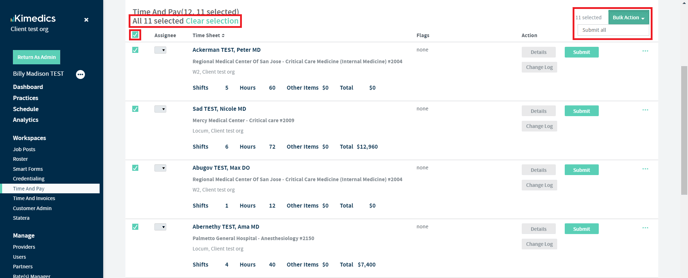
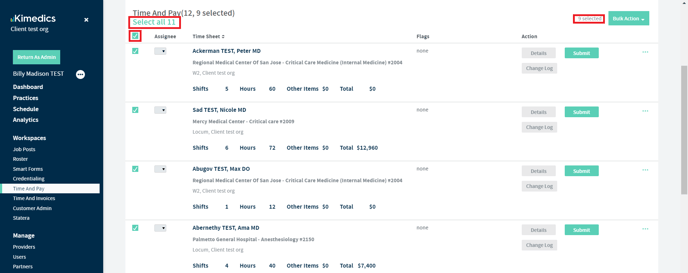
- Go into a pay period and click the top box to select all. Notice if there are multiple pages worth of time sheets, you will have to click the 'Select all' button to select across all pages.
- Once you have selected all time sheets you are wanting to submit or approve, click the bulk action button. You will have to option to 'Submit all' or 'Approve all' from the drop down.