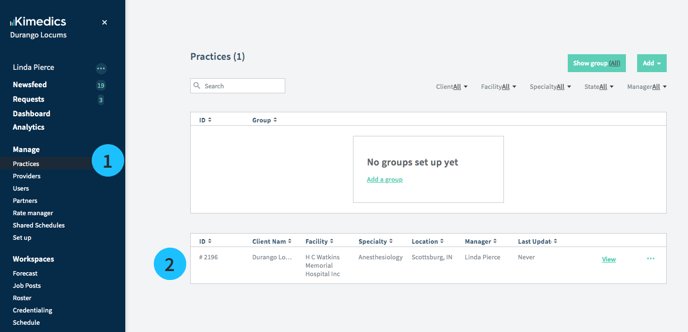
Open your practice
1. Go to the Practices section
2. Select your practice from the table.
2. Add your team
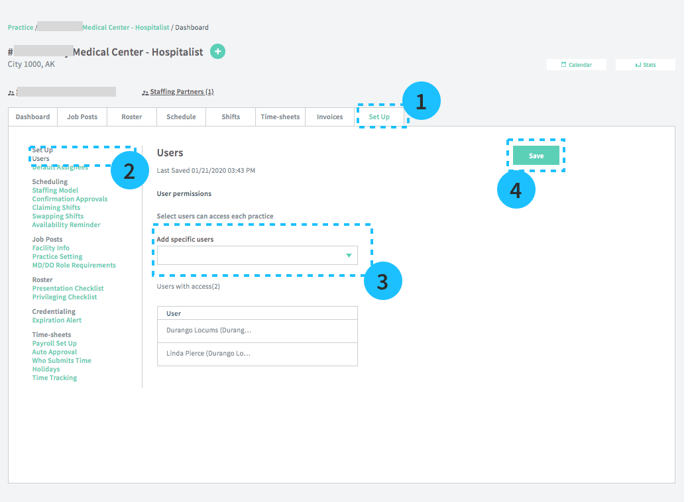
1. Set Up tab
2. Users Section
3. Select users you want to add from the dropdown. They will be able to view the practice.
4. Select Save
Default assignees
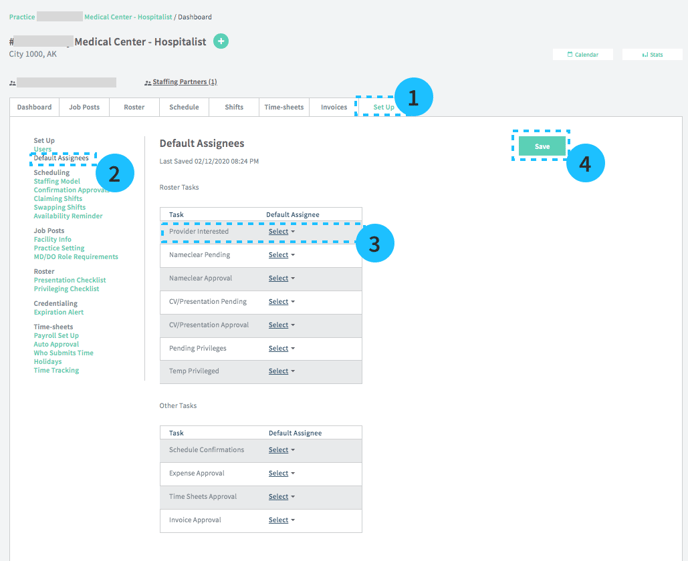
Kimedics tracks many different types of tasks, and you can manually assign tasks to the members of your team or create default assignees to automatically have certain tasks assigned to them (see image below)
1. Practice Set Up
2. Default Assignees
3. Select who from your team should be the Default assignee for each type of task
4. Save