
Presentation requirements are tasks that must be completed on behalf of providers in order to complete their presentation. Here are a few examples of presentation requirements:
- Upload a copy of the provider's background check.
- Upload a copy of the provider's state license certificate.
You can add these requirements and instructions individually by provider, but we recommend setting them up for your whole practice at once.
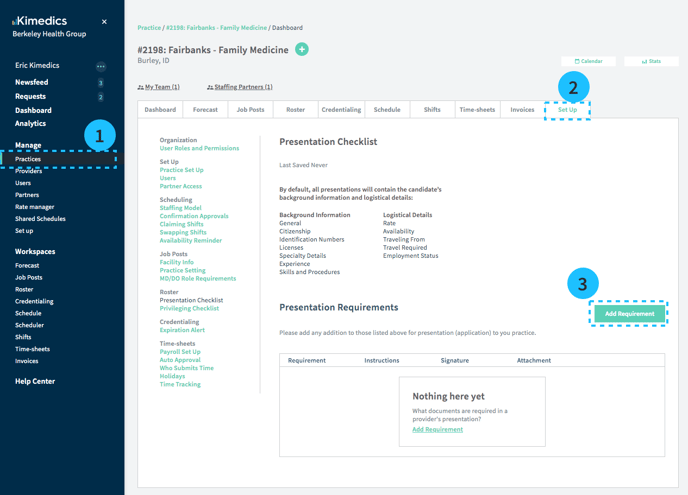
- Go to the Practices table and select your practice
- Set Up tab
- Tap Add Requirement button
- Enter requirement information and Save. This requirement will now appear on all provider's forms who are in status CV/Presentation pending.