Add a provider
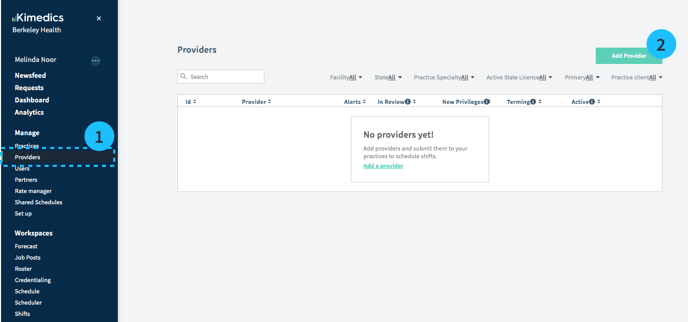
1. Go to Providers section
2. Select Add Provider
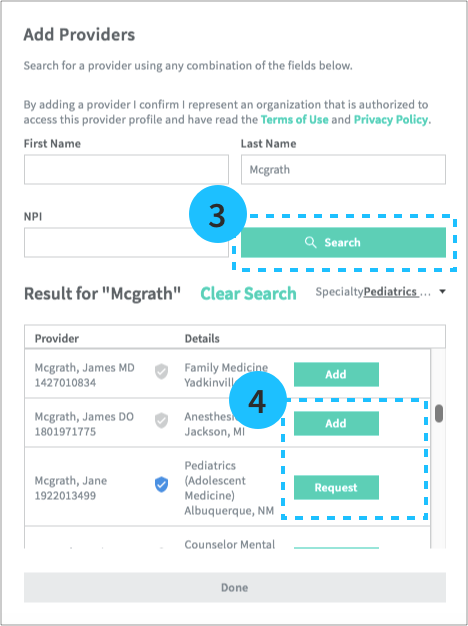
3. Search for a provider from the NPI database.
4. Add the provider** to your directory.
 **If the provider has their own Kimedics account, you will see the blue badge next to their name. These providers will need to accept your request to connect before you can see their profiles.
Inviting a provider to Kimedics
You can add any provider to your Providers directory if you intend to manage tasks on their behalf. But, in order for a provider to actively participate in Kimedics, they need to create a Kimedics account.
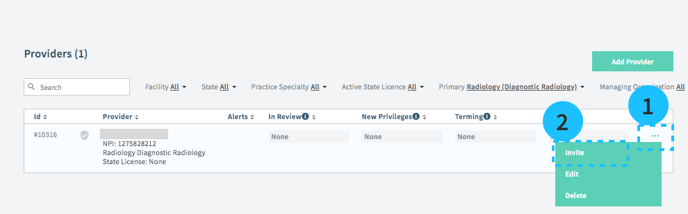
- Select the "..." overflow button on the right side of a provider's row.
- Invite
- Provide an email address and Send Email or provide a phone number and Send SMS to send the provider information on how to sign up for Kimedics.
Inviting multiple providers to Kimedics
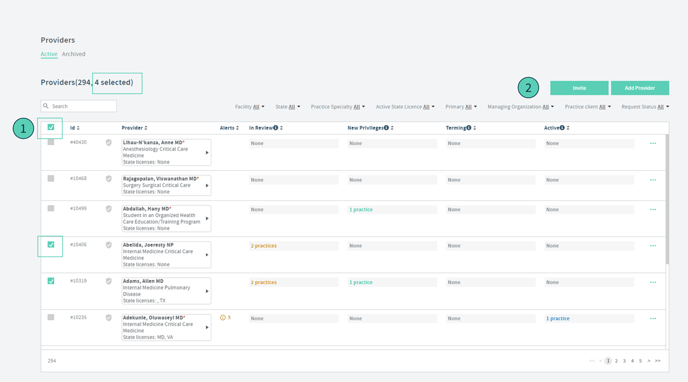
You can bulk invite providers as long as the provider has at least an email or phone number set up to receive the invite. To bulk invite follow these instructions:
1. Go to the "Providers" table on the left navigation
2. Click on the checkbox on the first column on the table and either select all, or select the providers you want to invite.
3. click the "Invite" button
Providers have been invited, but I cannot edit the Base App. What should I do?
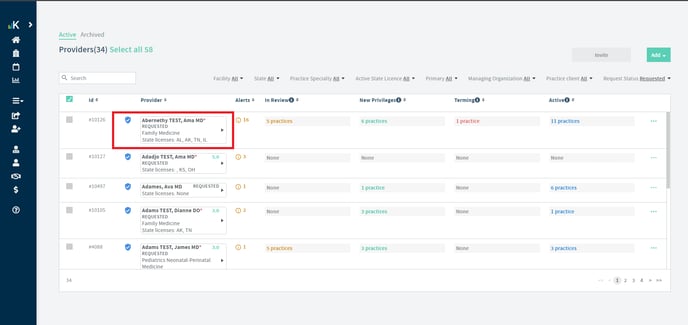
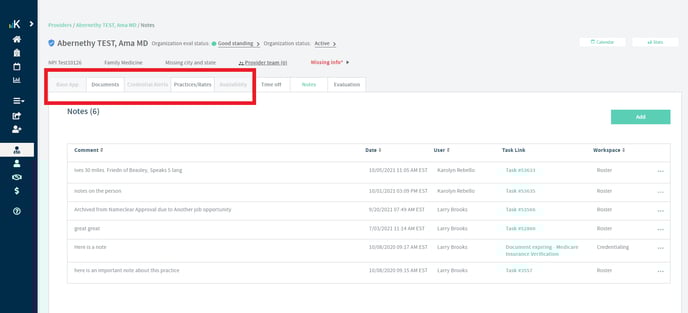
Once the providers have created an account, a blue check will appear next to the provider's name on the provider's table. In this case, be sure that the provider has accepted the organization request. You can quickly check this by searching the provider's name. If the blue check appears, but the status is "Requested", you will need to have the provider accept the organization request. Until this happens, the provider's base app will appear grayed out and unable to be edited.
See below how this provider has a blue check after accepting the Kimedics invite, but they have not accepted the organization request. This provider is in a "Requested" status, and the Base App appears grayed out.
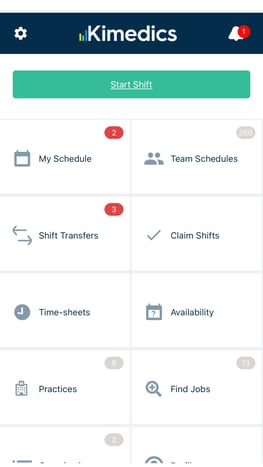
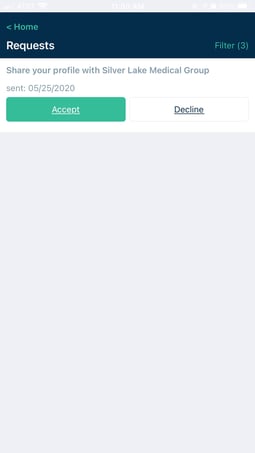
Providers can accept an organization request through the provider mobile app by clicking the request bell at the top and then clicking "Accept" for the organization request notification.